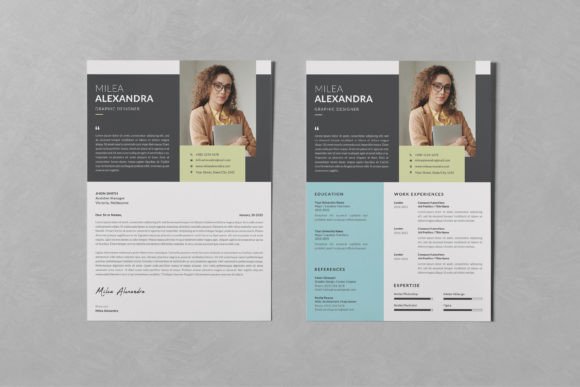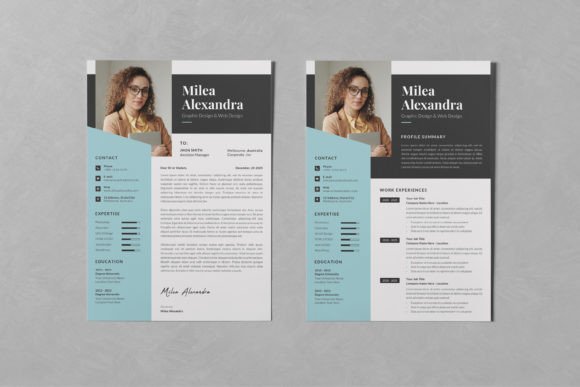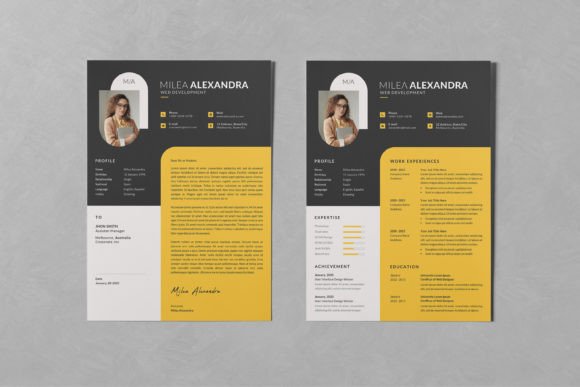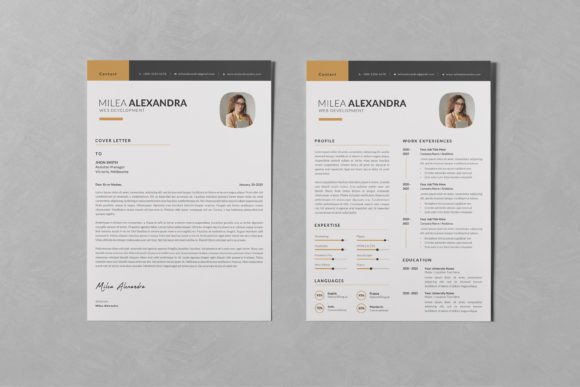
Resume/CV PSD Design Templates Vol 121: Your Career Document Toolkit
In the competitive landscape of job hunting, your resume is often the first and only chance to make a lasting impression. A cluttered, generic document can get lost in a pile, while a thoughtfully designed one speaks volumes about your professionalism before a single word is read. This is where a high-quality design asset becomes invaluable. Resume/CV PSD Design Templates Vol 121 is precisely such an asset—a collection of clean, modern, and professional templates crafted to present your experience with clarity and style.
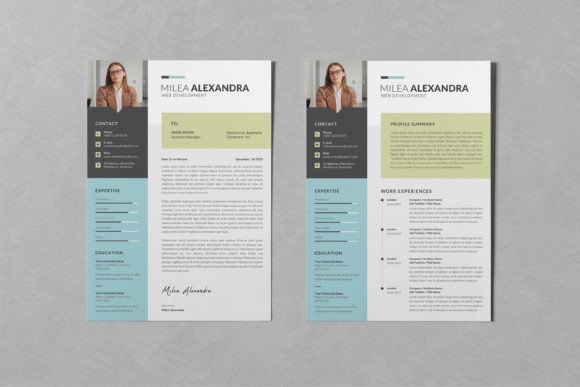
This isn't just a set of pre-made layouts. It's a fully customizable toolkit built for Adobe Photoshop, designed to save you the significant time and effort required to create a polished CV from scratch. The templates embody a modern typography sensibility, balancing aesthetic appeal with the strict readability requirements of professional documents. The overall personality is one of confident minimalism; it uses whitespace effectively, employs a logical visual hierarchy, and avoids unnecessary ornamentation that can distract from your content. For a designer, entrepreneur, or marketer, this premium font and layout combination communicates competence and attention to detail—qualities every employer seeks.
Practical Features for Seamless Customization
The true value of any design asset lies in its usability. Resume/CV PSD Design Templates Vol 121 is built with the end-user in mind, offering features that make personalization straightforward, even for those with intermediate Photoshop skills. Every element—text, graphics, and images—is organized on separate layers, giving you granular control over the final output. The image containers utilize Smart Objects, a feature that allows you to simply double-click, paste your own photograph, and have it automatically conform to the shape and style of the template's frame.
Key practical details include:
- Print-Ready Precision: The templates are set up in CMYK color mode at 300dpi with an A4 artboard plus bleed, ensuring your final PDF or printout is sharp and color-accurate.
- Font Flexibility: While the free fonts used in the design are not included due to licensing, clear download links are provided. This allows you to use the exact typeface for consistency or substitute it with a commercial font from your own library to better match your brand identity.
- Layer-Based Editing: Change colors globally or locally, adjust spacing, and edit text with the ease of working in a familiar Photoshop environment. This structure is fundamental for maintaining a cohesive font pairing strategy throughout your document.
This approach transforms the template from a static file into a dynamic starting point. Whether you're a small business owner creating a portfolio or a content creator updating your professional profile, the time saved on layout and formatting can be reinvested into refining the content itself.
Where This Template Excels: Real-World Applications
While its primary purpose is clear, the clean and adaptable nature of these templates makes them suitable for a range of professional documents beyond a standard job application resume. Consider using them as a foundation for:
- Portfolio Presentations: For graphic designers or marketers, the layout can be adapted to showcase project highlights, case studies, or campaign results in a structured, visually engaging way.
- Business Proposals & Pitch Decks: Entrepreneurs can leverage the professional aesthetic to create one-page company overviews or executive summaries that impress potential investors or clients.
- Freelance Profiles: Bloggers, crafters, and hobbyists looking to monetize their skills can use the template to create a polished "About Me" or service guide, elevating their personal brand above informal alternatives.
The influence of such a template on brand perception is subtle but significant. Consistent use of a modern, professional layout across your documents builds recognition and reinforces a brand identity of reliability. It demonstrates that you value quality and presentation, which can directly impact audience engagement—whether that audience is a hiring manager, a client, or a collaborator.
Making It Your Own: A Practical Guide
To get the most out of Resume/CV PSD Design Templates Vol 121, approach it with a strategy. First, evaluate the template's fit. Does its visual style—its use of serif or sans-serif fonts, its color scheme, its overall tone—align with the industry you're targeting? A creative field might welcome more expressive font pairings, while a corporate role might demand the restraint of a classic sans-serif.
Next, focus on readability. The templates are designed for clarity, but your content choices matter. Ensure your text is concise. Use the established hierarchy to guide the reader's eye naturally from your name and title down through your experience. When selecting or substituting fonts, test how they render at the small sizes used for body text. A beautiful display font for your header might not be legible for paragraphs.
Finally, treat the file as a master. Once you've customized it with your information, colors, and chosen typeface, save it as both a PSD for future edits and a PDF for distribution. This practice ensures you can maintain consistency across all your professional materials, building a cohesive personal brand over time. Remember, the goal of using such a creative font and template system is not to have the flashiest document, but to have the most effective one—one that clearly and professionally communicates your unique value. By leveraging this asset thoughtfully, you create more than a resume; you craft a strategic tool for your career advancement.