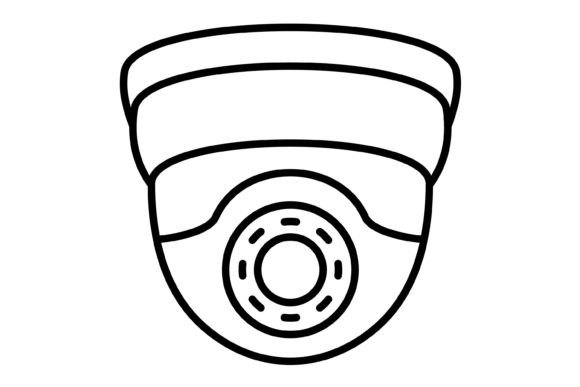
Modern Security Visuals: The CCTV Outline Icon Set
In the realm of digital design, clarity and immediate recognition are paramount, especially when dealing with sensitive topics like security. The CCTV Outline Icon set is not just a collection of graphics; it is a versatile design asset built for the modern web and print ecosystem. Whether you are a developer building a mobile application, a marketer creating a security awareness campaign, or a small business owner updating your website, this icon set provides the visual shorthand needed to communicate safety and surveillance effectively. The set is delivered in a comprehensive zip file containing five different formats: AI, EPS, JPG, PNG with a transparent background, and SVG. This variety ensures that no matter what software you use—from Adobe Illustrator to Canva to simple drag-and-drop website builders—you have the right file type ready to go.
Anatomy of a Modern Security Icon
When we talk about the "personality" of the CCTV Outline Icon, we are discussing a specific visual language. Unlike heavy, filled pictograms that can feel dated or oppressive, outline icons offer a lighter, more contemporary aesthetic. These icons are designed with clean lines, consistent stroke weights, and a minimalist approach. This style aligns with current modern typography and UI trends, where flat design and geometric precision are favored. The visual appeal lies in its neutrality; it suggests security without being aggressive. The outline style allows the icon to breathe, making it ideal for interfaces where space is at a premium but clarity cannot be sacrificed.
The true strength of these assets lies in their technical construction. As 100% vector icons, they are mathematically defined rather than pixel-based. This means you can scale the CCTV Outline Icon from the size of a favicon on a browser tab to a massive billboard print without losing a single pixel of sharpness. For a graphic designer or brand strategist, this scalability is non-negotiable. It ensures that your brand identity remains consistent across all mediums. Furthermore, because they are vector-based (available in AI and EPS formats), they are easy to edit. You can adjust the stroke width, change the color palette to match your corporate colors, or even modify the shape of the camera lens to better fit a specific creative direction.
Strategic Applications Across Platforms
Understanding where to deploy the CCTV Outline Icon is key to maximizing its value. The versatility of this set makes it suitable for a wide array of contexts, far beyond simple surveillance software.
- Mobile Apps and Web Design: In web design and app development, icons serve as the universal language. The SVG format included in the zip file is particularly crucial here. SVGs (Scalable Vector Graphics) are code-based, meaning they load incredibly fast and look crisp on any high-resolution screen, whether it is an iPhone 15 or a 4K desktop monitor. Use this icon for settings menus, security status indicators, or feature lists on a landing page.
- Presentation and Editorial Design: If you are pitching a security solution to investors or writing a blog post about safety, the JPG and PNG formats are your best friends. The PNG transparent background is specifically useful for layering the icon over images or colored blocks in PowerPoint, Keynote, or editorial design layouts without ugly white boxes around it.
- Print and Packaging: While digital is dominant, print remains powerful. The vector formats (AI/EPS) are required for professional printing. Whether you are designing a brochure for a security firm or creating packaging design for a smart home device, the CCTV Outline Icon ensures your graphics are print-ready and professional.
- Social Media Graphics: Visual hierarchy is critical on fast-scrolling feeds. A clean outline icon can break up text-heavy posts or serve as a recognizable avatar element. It helps in establishing a consistent visual theme across platforms like Instagram or LinkedIn.
Enhancing Brand Perception and Readability
A common mistake in design is treating icons as afterthoughts. However, the graphics you choose contribute significantly to brand perception. Using a high-quality, premium font or icon set signals professionalism. If a user sees a pixelated, blurry camera icon on your website, they subconsciously question the quality of your service. Conversely, a sharp, well-designed CCTV Outline Icon suggests attention to detail and reliability.
This icon set acts as a complementary visual to your typography choices. Whether you are using a sans serif font for a clean tech look or a serif font for a more traditional security firm, the neutral style of the outline icon pairs well with almost any typeface. It aids in visual hierarchy by drawing the eye to specific sections of content. For example, placing a small CCTV icon next to a paragraph about "24/7 Monitoring" instantly anchors the text, making the content easier to scan and digest. This improves readability and keeps the user engaged longer.
Practical Integration and Workflow
For the content creator or entrepreneur, time is money. The "Ready to use" nature of this set cannot be overstated. You do not need to be a vector illustration expert to use these assets.
- Evaluating Project Fit: Before downloading, assess the visual tone of your project. If your design language is rounded and soft, you may need to slightly edit the vectors to round the corners. If it is sharp and corporate, the default style is likely perfect.
- Font Pairing: Treat icons like small graphical elements that need to balance with your text. If you are using a bold display font for headers, ensure the icon is sized appropriately so it isn't dwarfed by the text. Conversely, next to a delicate script font or handwritten font, a heavy icon might look out of place.
- Color and Contrast: While the icons are often black by default, changing the color to match your brand’s primary or accent color is a simple edit in vector software. Ensure there is enough contrast against the background for accessibility.
Ultimately, the CCTV Outline Icon set is more than just a drawing of a camera. It is a functional piece of design assets that bridges the gap between complex security concepts and user-friendly design. By leveraging the included formats—AI, EPS, JPG, PNG, and SVG—you ensure that your project looks polished, professional, and perfectly aligned with the demands of modern digital and print media.